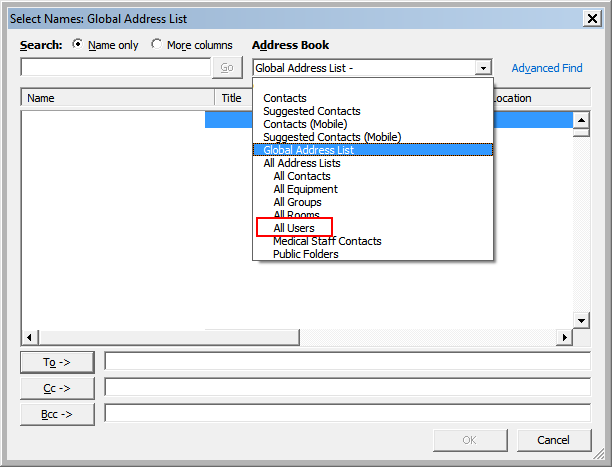
Ever had a new user appear in the “All Users” Address list that you can access via your Address Book but that DO NOT APPEAR inside the Global Address Book (GAL)?
These are most likely users that have only recently been added…because the minute that Exchange does it’s standard maintenance window, it will most likely update. But what if, like me, you need to have it update right away due to something like a BlackBerry server?
Through trial and error, I’ve found out WHY the user is not put into the Global Address List right away and how you can force it there. Please note that I’m using Exchange 2007 with a separate CAS, HT, and Mailbox Server. First, let’s go over what is happening and why it is and then we’ll go over how we can force the OAB (Offline Address Book) or GAL to update with these users.
What is Happening and Why?
So, you added Joe Smith to the company and you’ve right-click updated the “All Users” address list so he can be included in distribution lists and so that he receives emails on dynamic distribution lists. Then you right clicked the OAB and selected ‘Update’. Excellent! Welcome to the company Joe! But wait, Joe is not appearing inside the GAL/OAB you just updated! Why is this problem happening!? If you’re using the web distribution of the offline address book, the Exchange Client Access Server waits for a ‘polling time’ to arrive before it updates…just like any standard DFS (distributed file system) in Active Directory. The default time is 480 minutes and of course, we don’t want to wait that long. You can read all about how OAB via DFS works by visiting this link about Exchange polling times and OAB distribution.
Now that we know it isn’t working by design, how do we fix it? We manually force it to poll. We do this through the Exchange Management Shell:
update-filedistributionservice -identity Servername
Make sure you substitute in your Client Access Server where the OAB is distributed with ‘servername’ above. A warning will appear if you do not have Unified Messaging installed on your server. If you don’t, it is safe to ignore that warning.
After you’ve forced the update, manually download the address book in any Outlook client and the user will magically appear in the Global Address List. Hope this helps someone…I know it took me a while to figure out what was happening.
